DeepSeek API guide: pricing, Python, streaming and tool calls
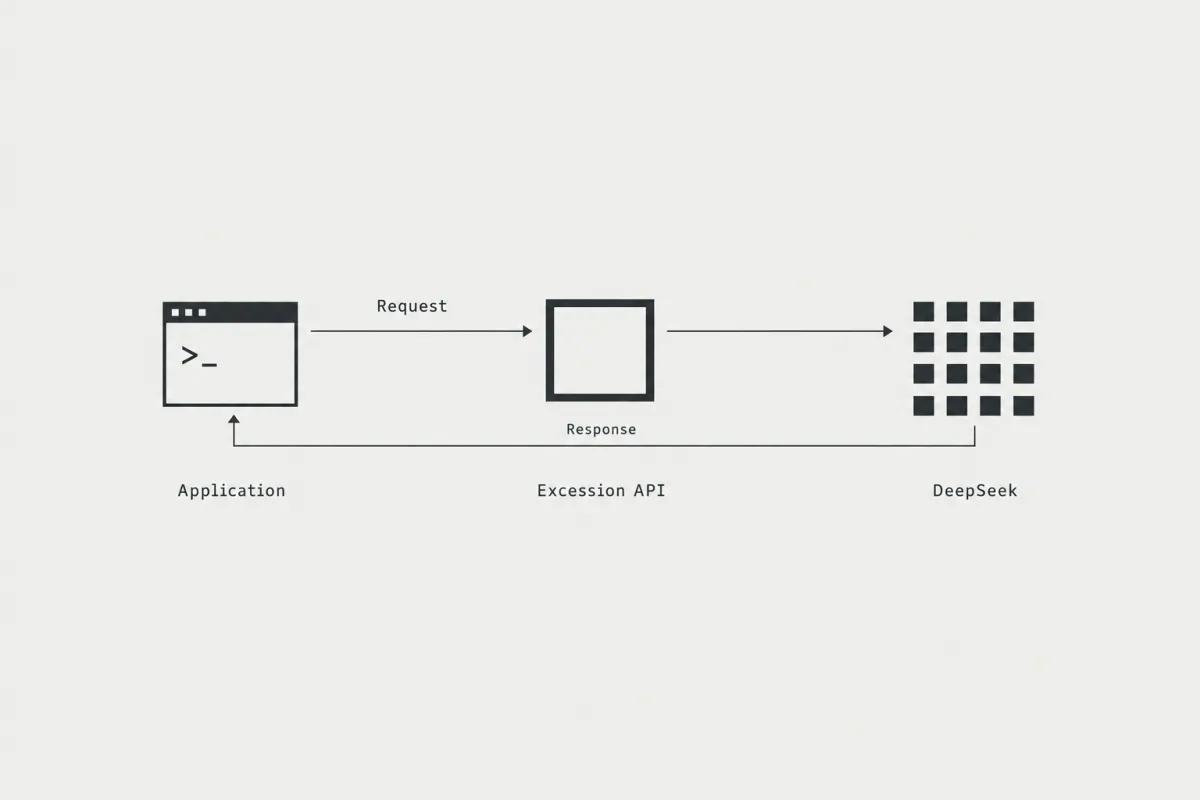
Call DeepSeek V4.1 Flash through the Excession API with your existing OpenAI-compatible client, from the first request to streaming, tool calls and error recovery.
Choose a model and understand the price
The API base URL is https://api.excessionlabs.ai/v1. Use an Excession API key. Keys from other providers do not work.
| Model | API model ID | Input / 1M tokens | Cached input / 1M tokens | Output / 1M tokens |
|---|---|---|---|---|
| DeepSeek V4.1 Flash | deepseek/deepseek-v4.1-flash-1017 | $0.035 | $0.005 | $0.50 |
| DeepSeek V4.1 Flash Abliterated | deepseek-v4.1-flash-abliterated | $0.20 | $0.025 | $0.80 |
Prices are USD per million tokens. Output includes reasoning tokens. Cached input is a subset of total input and is not charged extra. Every payment option uses the same token prices. A plan adds plan credit, so each dollar you pay covers more tokens.
Regular DeepSeek is the default model. The abliterated variant is a separate model for authorized security work. To use it, set its exact model ID: changing a display label does not switch models. Both are listed in the live model catalog, with current prices and limits.
GLM 5.5, GLM 5.3 and Kimi K3.1 Pro are coming soon to the Excession API. They are not callable yet, and no API IDs, prices or launch dates are announced.
The catalog currently declares a 1,048,576-token context and a 131,072-token maximum output for these DeepSeek models. The gateway defaults to a 16,384-token output limit if you omit one. These are configured limits. They do not guarantee throughput or response time.
Create a key and add funds
- Sign in and open API keys. Create a key and copy it when it is shown. Store it on your server or in an environment variable.
- Every new account gets $5 API credit once, with no card required. Use it for your first requests; then add funds in Billing ($0.50 to $1,000 per top-up) or choose a monthly plan.
- Send a small first request with an explicit maximum output. Review the result and its usage before increasing the budget.
A plan is optional. You can create a key before you add funds, but requests return HTTP 402 insufficient_funds until you add funds or choose a plan. Plan credit pays for API requests and for Incursion by Excession Labs, the terminal agent, so one Excession account covers both.
| Option | You pay | Plan credit or balance | Extra | Unused money |
|---|---|---|---|---|
| Pay as you go | $0.50 to $1,000 per top-up | Same amount as balance | 0% | Never expires |
| Starter | $20/month | $30/month | +50% | Ends at renewal |
| Pro | $100/month | $175/month | +75% | Ends at renewal |
| Max | $200/month | $400/month | +100% | Ends at renewal |
| Ultra | $500/month | $1,250/month | +150% | Ends at renewal |
Balance never expires while your account is open, including after you cancel a plan. One plan covers one person.
Requests use plan credit first, then balance when permitted. With an active plan, you can turn off "Use balance after plan credit" to stop using balance. Without a plan, requests use your balance. See the full pricing explanation.
Send your first request with curl
Set EXCESSION_API_KEY in your shell using your secret manager or a private environment file. Never include a real key in client-side JavaScript, a repository or a shared example.
curl --fail-with-body https://api.excessionlabs.ai/v1/chat/completions \
  -H "Authorization: Bearer $EXCESSION_API_KEY" \
  -H "Content-Type: application/json" \
  -d '{
    "model": "deepseek/deepseek-v4.1-flash-1017",
    "messages": [{"role": "user", "content": "Explain what an HTTP 401 status means."}],
    "max_tokens": 2048
  }'
For the abliterated variant, change only the model value to deepseek-v4.1-flash-abliterated. Keep the base URL and your Excession key.
Use the OpenAI Python client
Install the SDK in your project environment with python -m pip install openai. Pin the version you validate in your application's dependency file. This example uses Chat Completions:
import os
from openai import OpenAI

client = OpenAI(
    api_key=os.environ["EXCESSION_API_KEY"],
    base_url="https://api.excessionlabs.ai/v1",
    timeout=120.0,
    max_retries=0,
)
model = "deepseek/deepseek-v4.1-flash-1017"

response = client.chat.completions.create(
    model=model,
    messages=[{"role": "user", "content": "Explain HTTP 401 in one paragraph."}],
    max_tokens=2048,
)
print(response.choices[0].message.content)
print(response.usage)
The explicit timeout and disabled retries make this example's behavior easy to inspect. Production retry behavior should depend on the error type and your request budget. Do not retry a 402 money error until you add funds or change the balance setting.
Stream a response
Using the same client and model, set stream=True. Chat Completions delivers server-sent events. Not every chunk contains visible text; usage can arrive separately.
stream = client.chat.completions.create(
    model=model,
    messages=[{"role": "user", "content": "Explain how HTTP cache validation works."}],
    max_tokens=2048,
    stream=True,
    stream_options={"include_usage": True},
)
for chunk in stream:
    if chunk.choices:
        text = chunk.choices[0].delta.content
        if text:
            print(text, end="", flush=True)
    if chunk.usage is not None:
        print("\nUsage:", chunk.usage)
A stream can include reasoning or tool-call deltas as well as content. The simple display loop above prints visible content only. Do not treat an empty content delta as completion or assume that the first chunk contains the answer. If the connection ends unexpectedly, inspect your request log before resubmitting work that has side effects.
Complete a tool-call round trip
The model requests a tool; your application validates and executes it, then sends the result back. The Excession API does not execute your application's functions. This deliberately small example provides only a trusted local lookup and limits the interaction to three model turns.
import json

messages = [{"role": "user", "content": "What does HTTP 401 mean? Use the lookup tool."}]
tools = [{
    "type": "function",
    "function": {
        "name": "lookup_http_status",
        "description": "Look up a supported HTTP status code.",
        "parameters": {
            "type": "object",
            "properties": {"code": {"type": "integer", "enum": [401, 403, 429]}},
            "required": ["code"],
            "additionalProperties": False,
        },
    },
}]
status_names = {401: "Unauthorized", 403: "Forbidden", 429: "Too Many Requests"}

for turn in range(3):
    response = client.chat.completions.create(
        model=model, messages=messages, tools=tools, max_tokens=2048,
    )
    message = response.choices[0].message
    if not message.tool_calls:
        print(message.content)
        break
    messages.append(message.model_dump(exclude_none=True))
    for call in message.tool_calls:
        if call.function.name != "lookup_http_status":
            raise ValueError("Unexpected tool name")
        args = json.loads(call.function.arguments)
        if not isinstance(args, dict) or set(args) != {"code"}:
            raise ValueError("Invalid tool arguments")
        code = args["code"]
        if type(code) is not int or code not in status_names:
            raise ValueError("Unsupported status code")
        messages.append({
            "role": "tool",
            "tool_call_id": call.id,
            "content": json.dumps({"code": code, "name": status_names[code]}),
        })
else:
    raise RuntimeError("Tool-call turn limit reached")
Keep the assistant message and each tool_call_id in the conversation. Validate arguments in your application even if you supply a schema. For tools that write files, send messages or change accounts, apply your own permission and retry rules before execution.
Choose the right endpoint
| Endpoint | Request convention | Output-limit field |
|---|---|---|
POST /v1/chat/completions | OpenAI Chat Completions: messages | max_tokens or max_completion_tokens |
POST /v1/responses | OpenAI Responses: input | max_output_tokens |
POST /v1/messages | Anthropic Messages: messages | max_tokens |
The gateway exposes all three wire formats. Test the protocol and features your application uses with your selected model, because the gateway does not guarantee support for every SDK feature or model-specific option. The examples in this guide use Chat Completions. For an Anthropic SDK configuration, the base URL is https://api.excessionlabs.ai because that SDK adds /v1/messages.
Estimate cost and inspect usage
Calculate the cost from uncached input, cached input and output separately:
cost_usd = ((input_tokens - cached_tokens) * input_price
          + cached_tokens * cached_price
          + output_tokens * output_price) / 1_000_000
Worked example: 1M input tokens, half of them cached, and 100,000 output tokens, at the prices in the table above. Token counts are in millions.
| Model | Uncached input | Cached input | Output | Total at token prices | Paid with Ultra plan credit (÷ 2.5) |
|---|---|---|---|---|---|
| DeepSeek V4.1 Flash | 0.5 × $0.035 = $0.0175 | 0.5 × $0.005 = $0.0025 | 0.1 × $0.50 = $0.0500 | $0.0700 | $0.0280 |
| DeepSeek V4.1 Flash Abliterated | 0.5 × $0.20 = $0.1000 | 0.5 × $0.025 = $0.0125 | 0.1 × $0.80 = $0.0800 | $0.1925 | $0.0770 |
These are arithmetic examples, not measured workloads or benchmarks. Cache hits depend on the serving model and request history, so a repeated prompt can still miss.
A plan gives more plan credit than you pay, so the same tokens cost you less. Ultra turns $500 into $1,250 of plan credit, which divides every token price by 2.5. This is the lowest effective price, and it holds only if you use the plan credit before it ends at renewal.
| Model | Input / 1M tokens | Cached input / 1M tokens | Output / 1M tokens |
|---|---|---|---|
| DeepSeek V4.1 Flash, effective with Ultra | $0.014 | $0.002 | $0.20 |
| DeepSeek V4.1 Flash Abliterated, effective with Ultra | $0.08 | $0.01 | $0.32 |
A request reserves estimated input plus its maximum output and settles against reported usage. The reservation can exceed the final cost. Lower max_tokens to reserve less. The console and authenticated GET /v1/me show plan credit, balance and the amount available now.
Successful non-streaming responses include X-Cost-Usd; streaming responses do not, so use Usage in the console for the cost of a streamed request. Served inference responses include X-Request-Id. Save the request ID alongside status and timing when troubleshooting. Do not log API keys or sensitive prompts.
Troubleshoot common errors
| Status or symptom | What to check | Next action |
|---|---|---|
400 invalid_json or invalid_request | JSON body and endpoint-specific input field | Send valid JSON with non-empty messages, or input for Responses. |
401 invalid_api_key | Missing, incorrect or revoked Excession key | Check your environment variable and create a replacement key if needed. |
402 insufficient_funds | Plan credit plus balance (available_usd) versus the request reservation (required_usd) | Add funds at the billing_url in the body, or lower maximum output. |
402 balance_use_off | Plan credit cannot cover the request, you have a balance, and balance use is off | Turn on "Use balance after plan credit" in Billing, or lower the request budget. |
429 rate_limited or model_busy | More than 600 requests per minute on one key, or the model is busy | Wait for Retry-After seconds and use bounded backoff. |
503 model_unavailable, model_busy or service_unavailable | The selected route is temporarily unavailable or at capacity. You are not charged. | Keep the error details; honor Retry-After when supplied, then retry later within your budget. |
| Empty visible output | Reasoning, tool calls or output budget | Inspect the complete message and finish reason before retrying. |
The configured per-key limit is 600 requests per minute. It caps request rate and commits to no throughput. For persistent failures, contact support with the request ID, model ID, endpoint and HTTP status.
Continue reading
Measured streaming sample and raw evidence: 40 new requests, including failures, with a reproducible runner.
- API model catalog and pricing
- Plan credit and balance
- Docs: install Incursion, sign in from the terminal, and call the Excession API.
- Acceptable Use Policy: use the Excession API and Incursion only for authorized work.